New Multi-Select tool

To help working with a large number of items on MapHub, a new tool has been developed. The Multi-Select tool allows selecting multiple items using a rectangle selection.
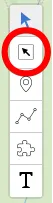
Multi-Select tool
Using it is very simple: just draw a rectangle around the items you’d like to include in a selection.
Using the Multi-Select tool
Using the selection to modify items
Once you have selected some items, you can do operations on all items at once, like:
- changing colors
- changing icons
- moving items to groups
Refining selection
If you’d like to refine the selection, you can use the Shift and Alt keys to include or exclude items.
Using Shift and Alt keys
Multi-Select using the item panel
You can also use the Shift and Alt keys to select multiple items in the item panel.
Using Shift and Alt keys in the item panel
Cover photo by Danting Zhu on Unsplash